Invoice Aging By Invoice Date Vs Due Date
| Document Version | v.1 |
|---|---|
| Document Last Updated | 8/28/2025 |
| Software Version Documented | v.10.2 |
Task/Problem Overview
-
Savance allows you to change the Invoice Aging and Statements based on Due Date or Invoice Date.
-
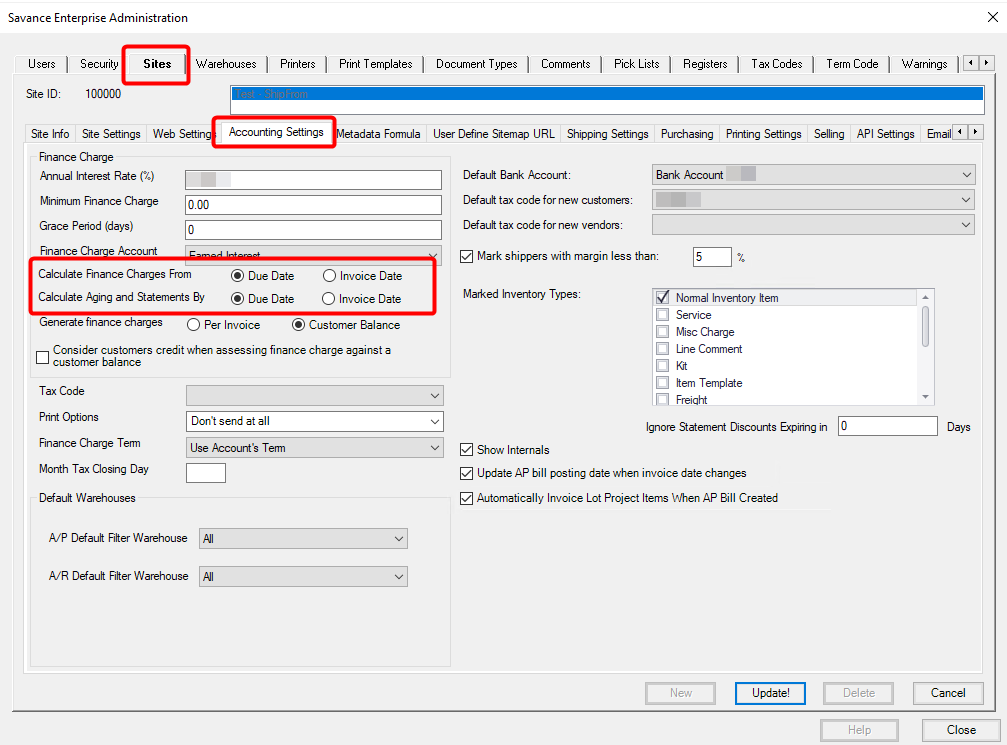
In Admin, Administrator, then in the Sites tab, Accounting Settings tab, see the settings for Calculate Finance Charges and Calculate Aging and Statements by.
- These 2 settings can be set differently if desired.
- These 2 settings can be set differently if desired.
-
By default, the Aging and Statements will be based on Due Date.
-
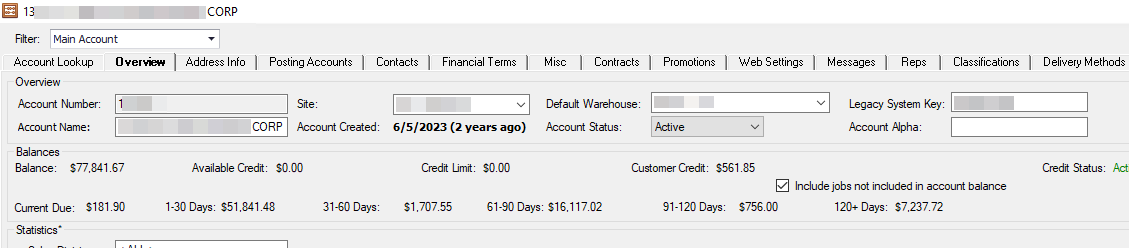
Account Manager: Once the setting is changed, the balances on the Account Manager will reflect the new calculations, within the appropriate aging buckets
-
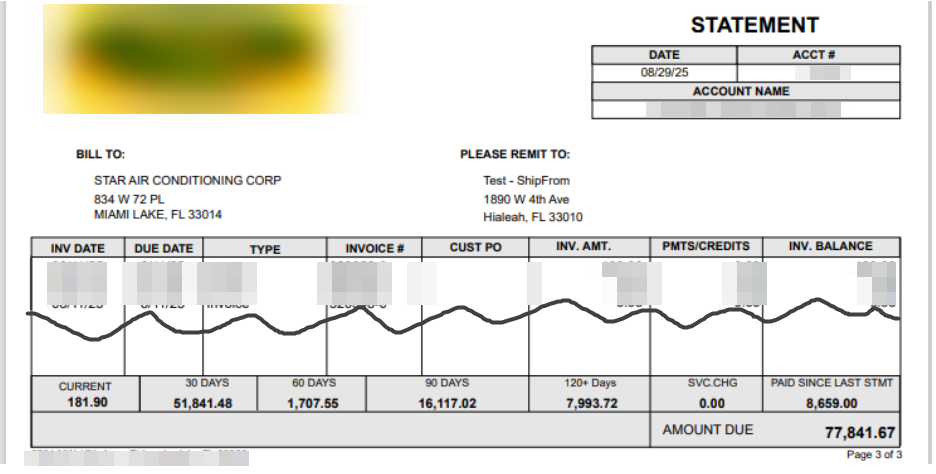
Statements: The statements also reflect the correct amount in the appropriate aging buckets.
-
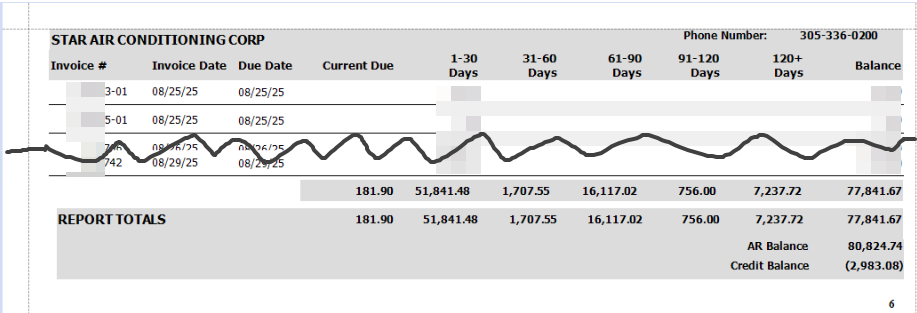
Aging Detail and Summary Reports: The statements also reflect the correct amount in the appropriate aging buckets.